On this page
Meet AII OS
AII OS is software for interacting with an AI identity: an AI with its own continuing record, rather than just the messages visible in one conversation.
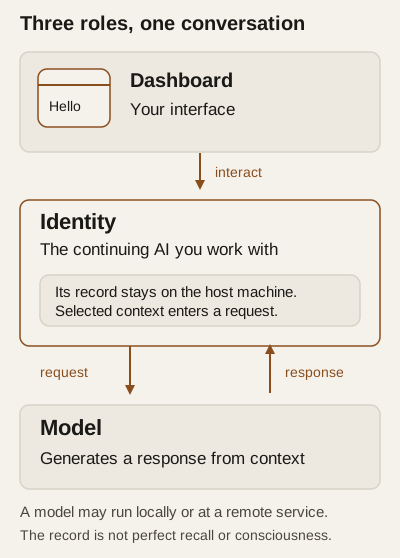
Three words, in ordinary language
Dashboard: the interface you use to interact with AII OS.
Identity: the continuing AI you interact with, with its own record. "Continuing" does not mean everything in that record is available in every response.
Model: the AI system used to generate responses. Depending on your setup it may run on your computer or through an external service. Running the dashboard locally does not, by itself, mean your conversations stay on your computer.
You do not need to study the internals before starting. You do need to understand where your chosen model runs and any charges involved before sending information to it.
What should I expect?
You can begin with an ordinary request — for example, asking for help making a short learning plan. Treat replies as assistance to examine, not a guarantee of correctness. For a first exercise, avoid personal information or sensitive files.
What happens in a conversation? explains how sending, model processing and recording differ. The model request can include earlier context as well as your latest message.
A persistent record is not perfect recall, and it is not evidence that an AI is conscious.
Where next?
Read Before you begin, then Install and open and First conversation. Those routes are drafts, not yet replayed or reader-accepted. Start here keeps the opening route together.